3 free templates · Healthcare
Healthcare dashboard templates for Power BI
Healthcare templates
Each template downloads as a background image, a theme JSON and a PBIP project; the ones marked with sample data open in Power BI Desktop with bound visuals.
 With sample data
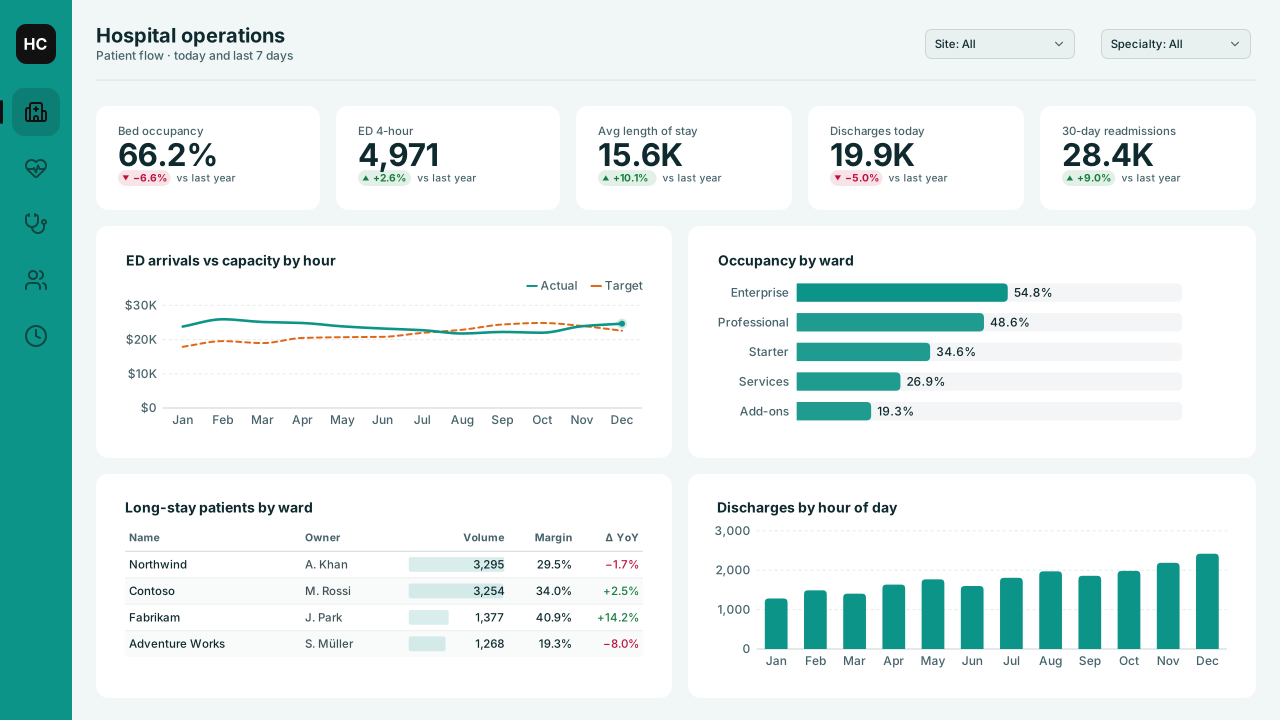
Healthcare Operations
Power BI hospital operations dashboard template: bed occupancy, ED 4-hour, length of stay and readmission KPIs, ED arrivals vs capacity and ward occupancy.Free for commercial use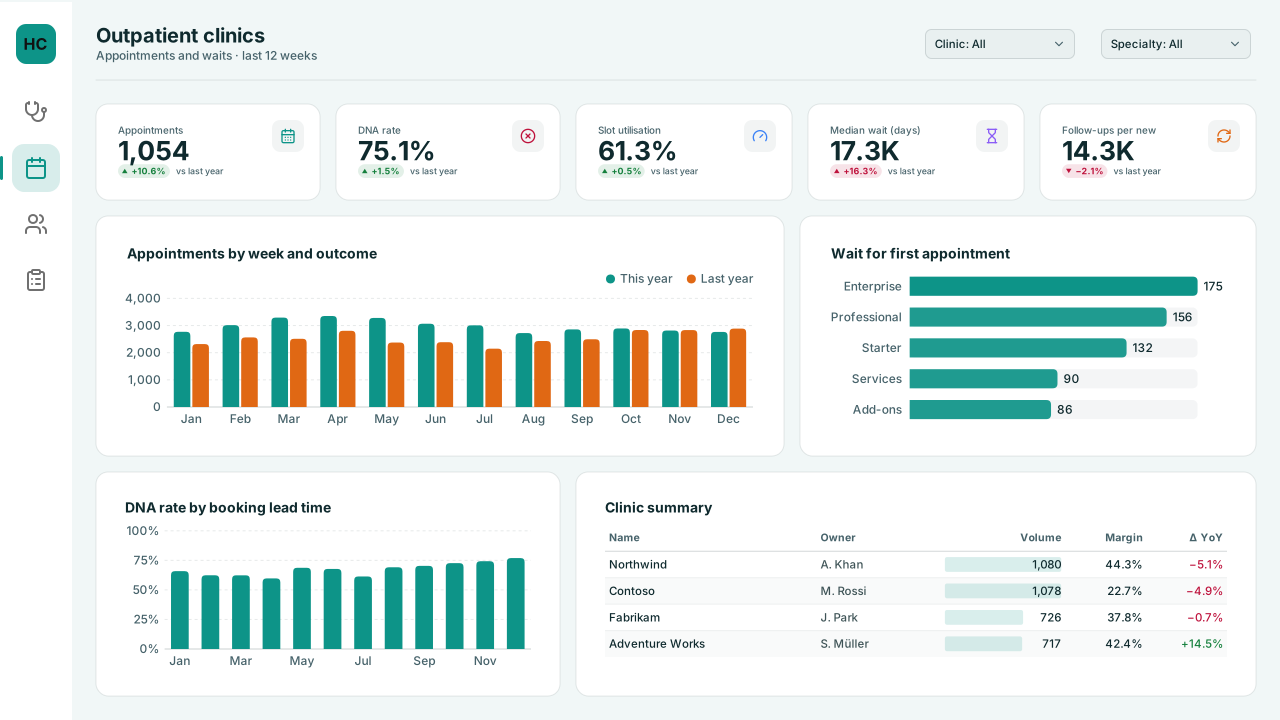 With sample data
Outpatient Clinic Appointments
Power BI outpatient clinic dashboard template: appointments, did-not-attend (DNA) rate by lead time, slot utilisation, waits by specialty and clinic summary.Free for commercial use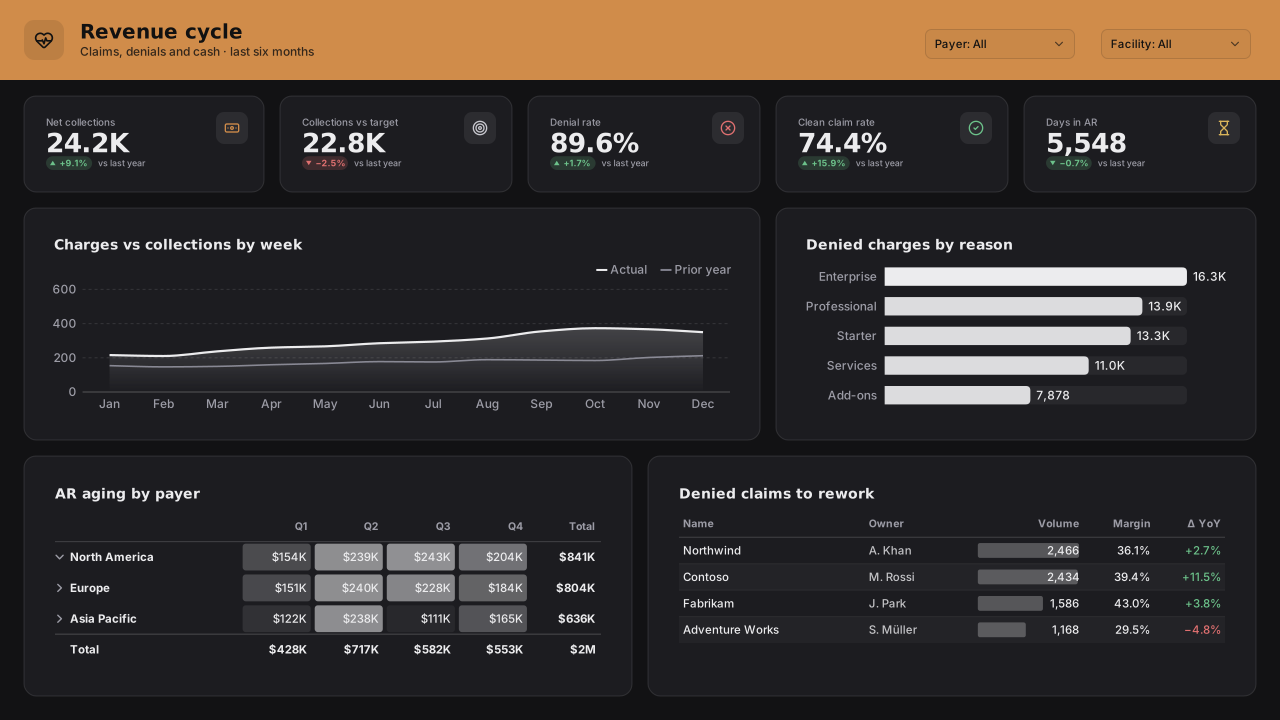 With sample data
Healthcare Revenue Cycle
Dark Power BI healthcare revenue cycle (RCM) template: collections vs target, denial and clean-claim rates, days in AR, AR aging by payer, rework list.Free for commercial use
More healthcare layouts are on the way. Browse all templates or start from a blank page in the Design Studio.
What a healthcare dashboard should answer
- How many beds are available now, by ward?
- How long are patients waiting against the standard?
- Where does flow back up between departments?
- When in the day and week do pressures peak?
Layout advice
Use calm, neutral colours and reserve red for breaches of a standard. Show the standard on the visual itself so the reader doesn't need to remember it.
Check any layout with the Design Check in the Design Studio (contrast, grid, gutters), and pick a contrast-checked theme to match.
Beyond the template
Custom visuals and dashboard recipes for the same team.
Team hub
Power BI visuals for HealthcarePatient flow, occupancy by ward and hour, and waits against standard: operational views for hospital teams.
Dashboard recipe
Best Power BI Visuals for Healthcare DashboardsThe best Power BI visuals for healthcare analytics — readmission SPC, patient-flow Sankey, outcomes heatmaps,…
Templates for other departments
- Executive 1
- Finance 6
- Sales 3
- Marketing 4
- Retail & e-commerce 3
- SaaS 2
- Operations 4
- HR & people 5
- Supply chain 7
- Manufacturing 3
- IT 3
- Project & PMO 2
- Aviation 1
- Banking 3
- Insurance 2
- Real estate & workplace 2
- Hospitality 2
- Education 2
- Nonprofit 1
- Public sector 1
- CV & portfolio 1
Keep exploring
61 hand-designed Power BI page layouts by department.
80 contrast-checked theme JSON files, light and dark.
Page backgrounds at 1280×720 and 1920×1080 with visual positions.
3,034 icons in 40 categories as SVG, PNG, DAX or theme icon JSON.
Make a healthcare page your own
Open a template in the Design Studio to change colours, fonts, logo and layout, then export the background, theme JSON and PBIP project.
The design studio for Power BI. Free, in your browser, no sign-up.