3 free templates · Manufacturing
Manufacturing dashboard templates for Power BI
Manufacturing templates
Each template downloads as a background image, a theme JSON and a PBIP project; the ones marked with sample data open in Power BI Desktop with bound visuals.
 With sample data
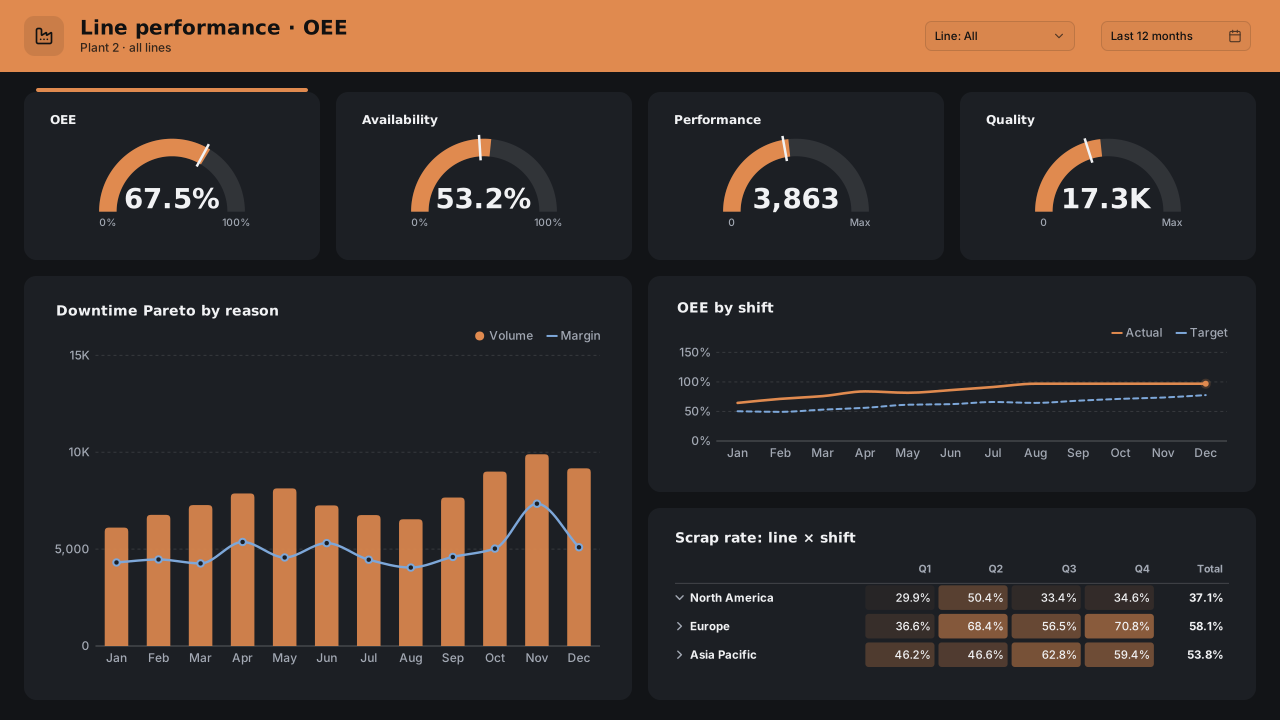
Manufacturing OEE
Power BI manufacturing OEE dashboard template: OEE, availability, performance and quality gauges, downtime Pareto, OEE by shift and scrap matrix.Free for commercial use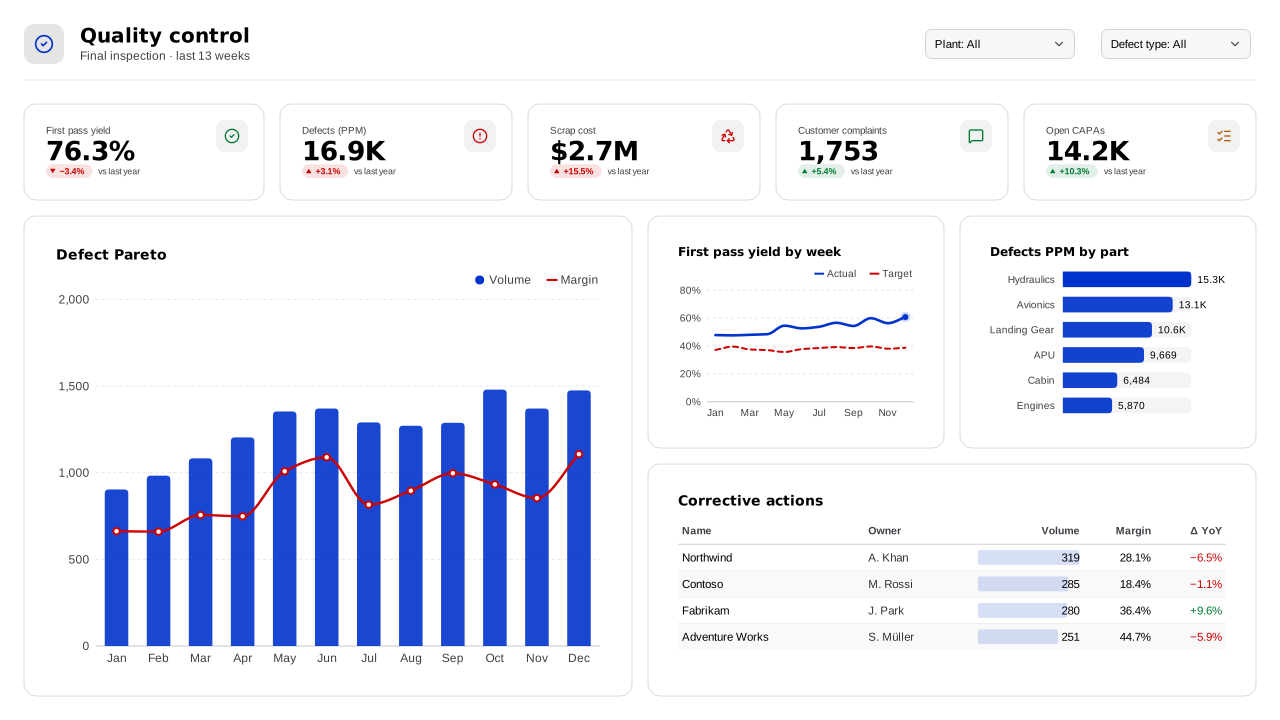 With sample data
Manufacturing Quality Control
Power BI quality control dashboard template: first pass yield, defects PPM, scrap cost, a defect Pareto, PPM by part and a CAPA action log.Free for commercial use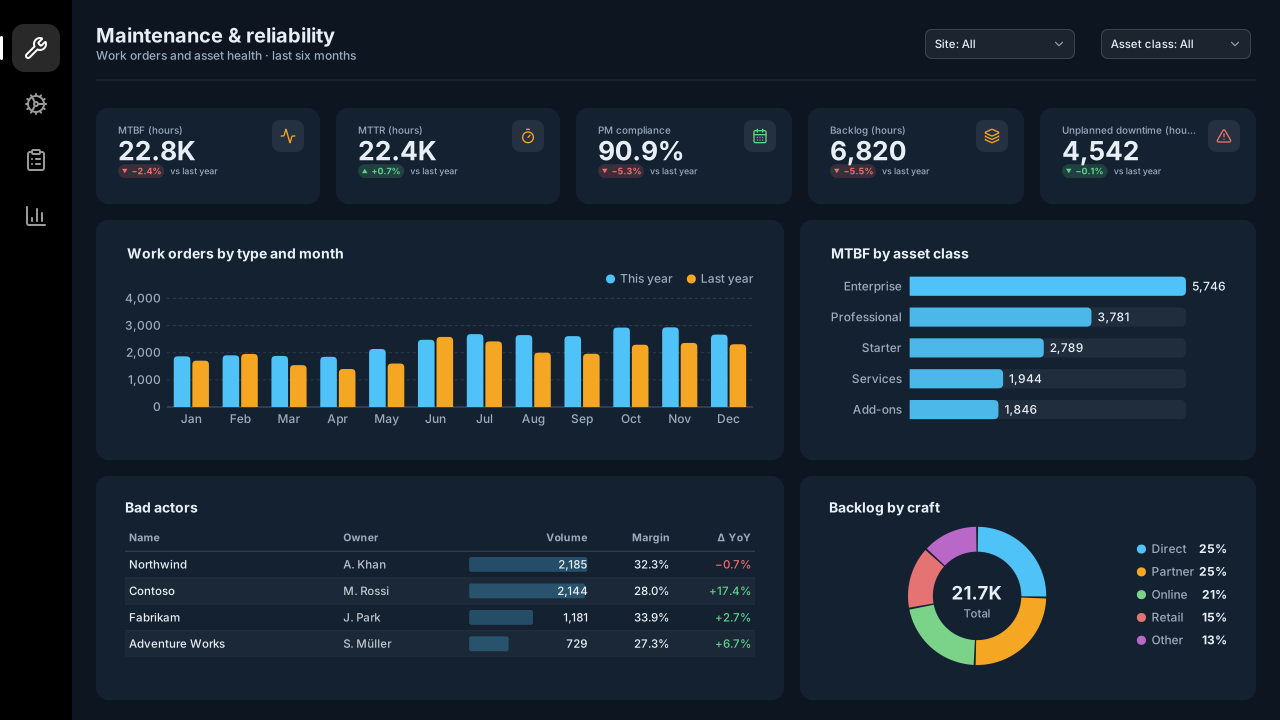 With sample data
Maintenance & Asset Reliability
Dark Power BI maintenance dashboard template (CMMS): MTBF, MTTR, PM compliance, backlog hours, work orders by type, bad-actor assets and backlog by craft.Free for commercial use
More manufacturing layouts are on the way. Browse all templates or start from a blank page in the Design Studio.
What a manufacturing dashboard should answer
- What is OEE by line, and which factor is losing?
- Which downtime reasons cost the most minutes?
- Is quality stable, or drifting?
- Which shift or hour loses output?
Layout advice
If the page hangs on a floor TV, use three or four large visuals at most and high-contrast colours. Show availability, performance and quality next to OEE so the reader knows which factor to act on.
Check any layout with the Design Check in the Design Studio (contrast, grid, gutters), and pick a contrast-checked theme to match.
Beyond the template
Custom visuals and dashboard recipes for the same team.
Team hub
Power BI visuals for ManufacturingOEE by line, downtime by reason and process stability: plant-floor views that read from across the room.
Dashboard recipe
Best Power BI Visuals for Manufacturing OEEThe best Power BI visuals for OEE — availability SPC, changeover heatmaps, downtime Pareto, loss-tree…
Templates for other departments
- Executive 1
- Finance 6
- Sales 3
- Marketing 4
- Retail & e-commerce 3
- SaaS 2
- Operations 4
- HR & people 5
- Supply chain 7
- Healthcare 3
- IT 3
- Project & PMO 2
- Aviation 1
- Banking 3
- Insurance 2
- Real estate & workplace 2
- Hospitality 2
- Education 2
- Nonprofit 1
- Public sector 1
- CV & portfolio 1
Keep exploring
61 hand-designed Power BI page layouts by department.
80 contrast-checked theme JSON files, light and dark.
Page backgrounds at 1280×720 and 1920×1080 with visual positions.
3,034 icons in 40 categories as SVG, PNG, DAX or theme icon JSON.
Make a manufacturing page your own
Open a template in the Design Studio to change colours, fonts, logo and layout, then export the background, theme JSON and PBIP project.
The design studio for Power BI. Free, in your browser, no sign-up.