3 free templates · Banking
Banking dashboard templates for Power BI
Banking templates
Each template downloads as a background image, a theme JSON and a PBIP project; the ones marked with sample data open in Power BI Desktop with bound visuals.
 With sample data
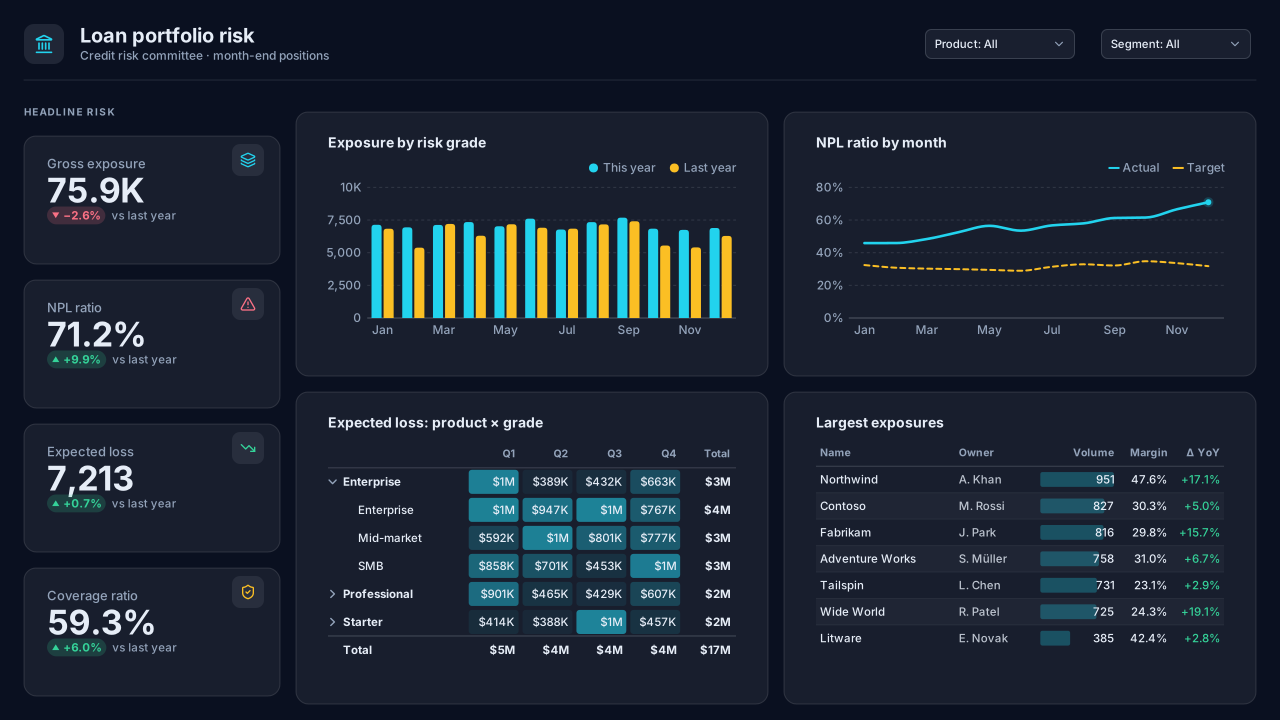
Loan Portfolio Risk
Dark Power BI bank credit risk dashboard template: gross exposure, NPL ratio, expected loss and coverage, exposure by risk grade and large exposures.Free for commercial use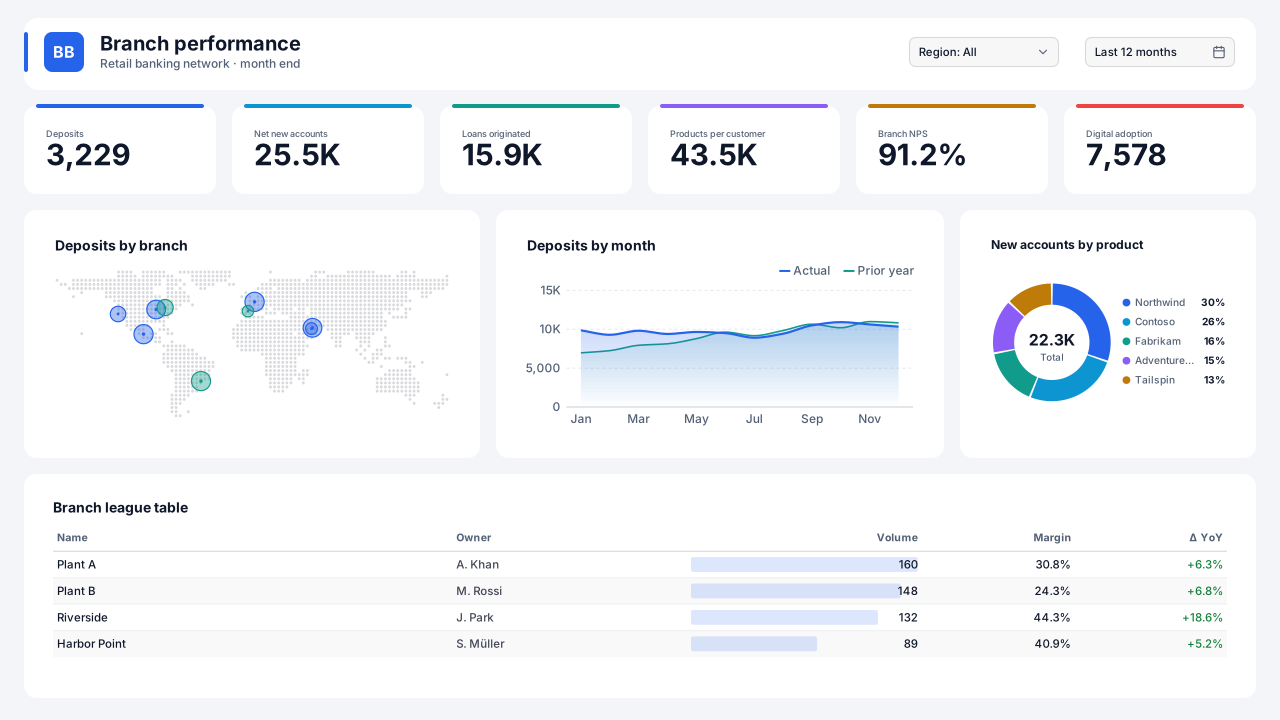 With sample data
Retail Banking Branch Performance
Power BI bank branch performance dashboard template: deposits, net new accounts, cross-sell, NPS and digital adoption with a branch map and league table.Free for commercial use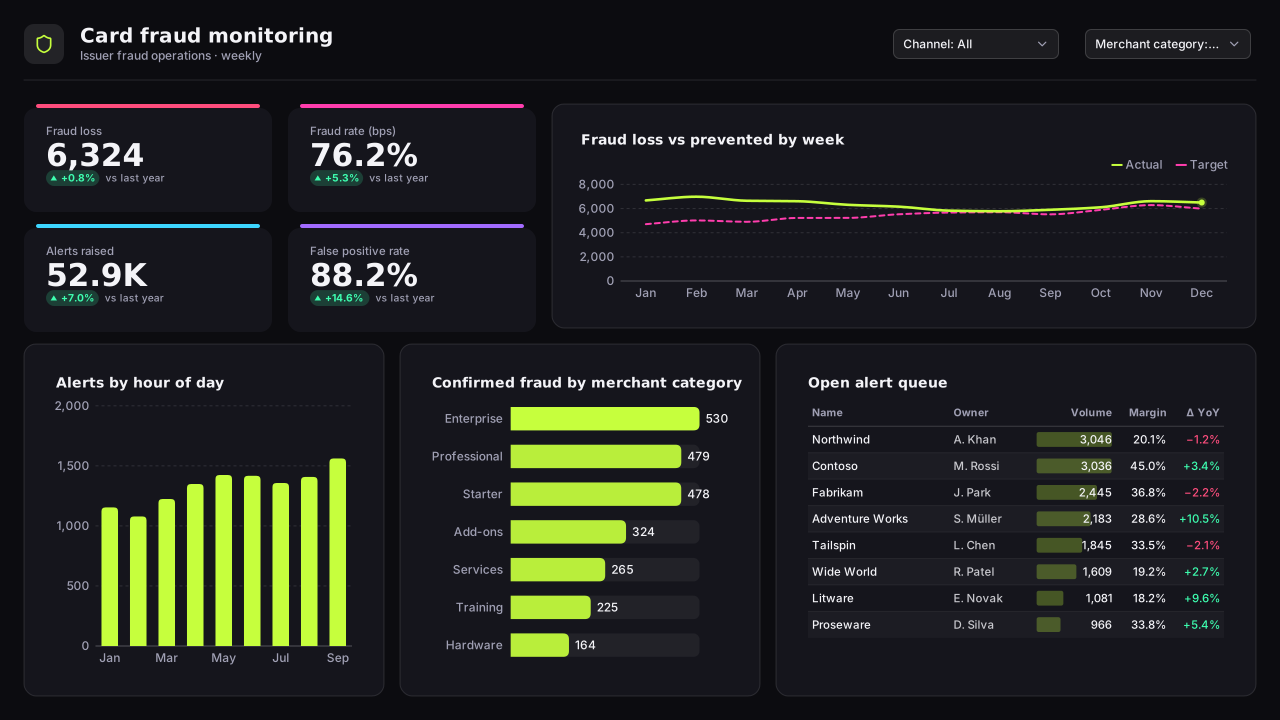 With sample data
Card Fraud Monitoring
Dark Power BI fraud detection dashboard template: fraud loss and rate in basis points, alerts by hour, false-positive rate and an open alert queue.Free for commercial use
More banking layouts are on the way. Browse all templates or start from a blank page in the Design Studio.
What a banking dashboard should answer
- How much of the loan book is in arrears, and in which bucket?
- Which branches grow deposits and product sales fastest?
- Where is card fraud concentrated by merchant category and channel?
- How has expected loss moved against last quarter?
Layout advice
Show balances and rates side by side, since a growing book with a rising arrears rate tells a different story from either number alone. Keep arrears buckets in their regulatory order (current, 1-30, 31-60, 61-90, 90+) and never sort them by size.
Check any layout with the Design Check in the Design Studio (contrast, grid, gutters), and pick a contrast-checked theme to match.
Beyond the template
Custom visuals and dashboard recipes for the same team.
Team hub
Power BI visuals for FinanceVariance bridges, balance-sheet smalls, scenario sliders — the finance visuals Power BI's native waterfall and cards don't cover.
Dashboard recipe
Best Power BI Visuals for Financial ReportingThe best Power BI visuals for financial reporting — waterfall bridges, variance matrices, SPC control, bullet…
Templates for other departments
- Executive 1
- Finance 6
- Sales 3
- Marketing 4
- Retail & e-commerce 3
- SaaS 2
- Operations 4
- HR & people 5
- Supply chain 7
- Manufacturing 3
- Healthcare 3
- IT 3
- Project & PMO 2
- Aviation 1
- Insurance 2
- Real estate & workplace 2
- Hospitality 2
- Education 2
- Nonprofit 1
- Public sector 1
- CV & portfolio 1
Keep exploring
61 hand-designed Power BI page layouts by department.
80 contrast-checked theme JSON files, light and dark.
Page backgrounds at 1280×720 and 1920×1080 with visual positions.
3,034 icons in 40 categories as SVG, PNG, DAX or theme icon JSON.
Make a banking page your own
Open a template in the Design Studio to change colours, fonts, logo and layout, then export the background, theme JSON and PBIP project.
The design studio for Power BI. Free, in your browser, no sign-up.