2 free templates · Real estate & workplace
Real estate and workplace dashboard templates for Power BI
Real estate & workplace templates
Each template downloads as a background image, a theme JSON and a PBIP project; the ones marked with sample data open in Power BI Desktop with bound visuals.
 With sample data
Real Estate Property Portfolio
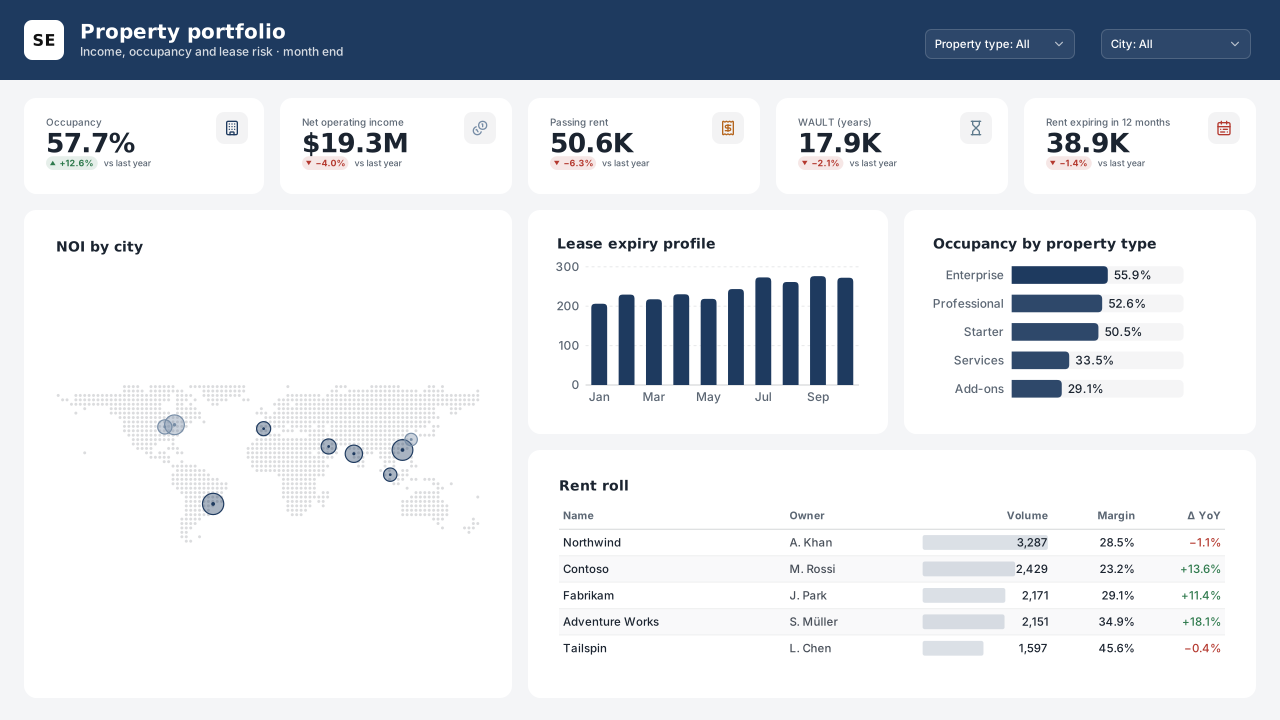
Power BI real estate portfolio dashboard template: occupancy, NOI, passing rent and WAULT, NOI map by city, lease expiry profile and a rent roll.Free for commercial use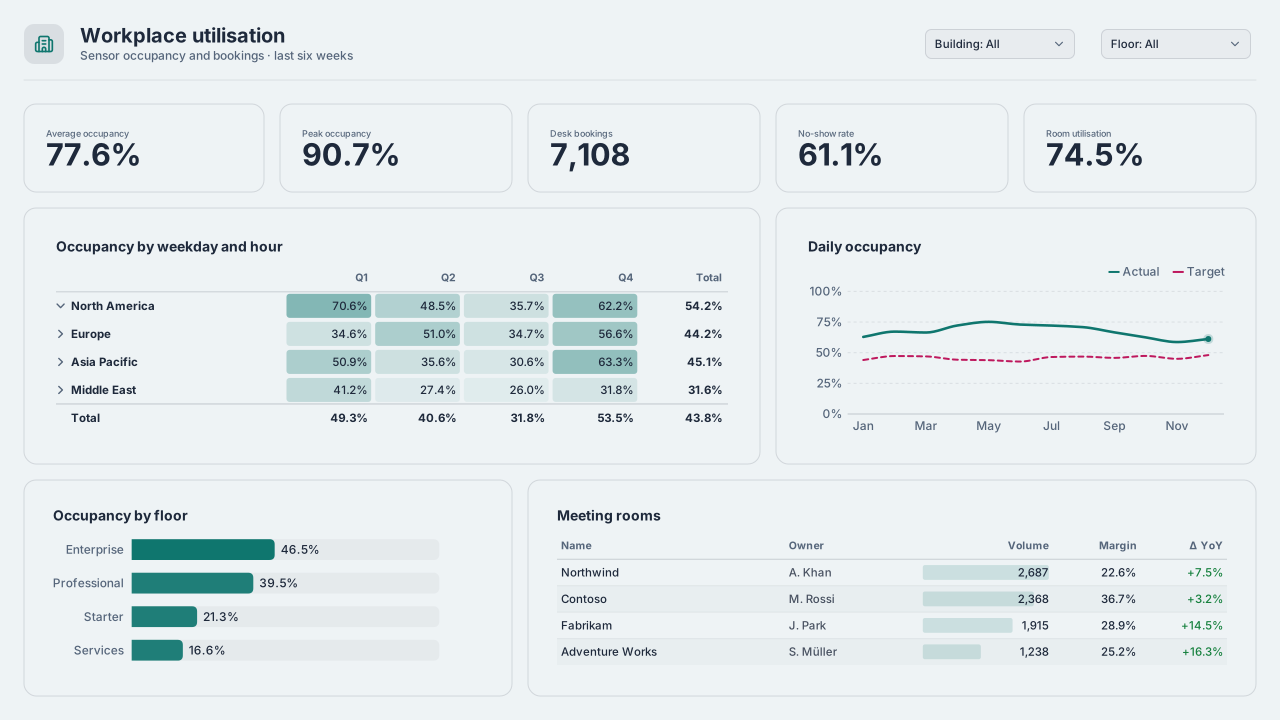 With sample data
Workplace Space Utilisation
Power BI office space utilisation dashboard template: occupancy by weekday and hour, peak vs average, desk no-shows, floor usage and meeting rooms.Free for commercial use
More real estate & workplace layouts are on the way. Browse all templates or start from a blank page in the Design Studio.
What a real estate & workplace dashboard should answer
- Which buildings carry the most vacancy and lease-expiry risk?
- How does rent collected compare with rent billed?
- Which floors and rooms are booked but not used?
- Where could space be consolidated?
Layout advice
Anchor the page on the building, not the month: a map or a building table sorted by risk lets readers find their site first. Show lease expiries as a stacked timeline by year so a cliff stands out.
Check any layout with the Design Check in the Design Studio (contrast, grid, gutters), and pick a contrast-checked theme to match.
Beyond the template
Custom visuals and dashboard recipes for the same team.
Templates for other departments
- Executive 1
- Finance 6
- Sales 3
- Marketing 4
- Retail & e-commerce 3
- SaaS 2
- Operations 4
- HR & people 5
- Supply chain 7
- Manufacturing 3
- Healthcare 3
- IT 3
- Project & PMO 2
- Aviation 1
- Banking 3
- Insurance 2
- Hospitality 2
- Education 2
- Nonprofit 1
- Public sector 1
- CV & portfolio 1
Keep exploring
61 hand-designed Power BI page layouts by department.
80 contrast-checked theme JSON files, light and dark.
Page backgrounds at 1280×720 and 1920×1080 with visual positions.
3,034 icons in 40 categories as SVG, PNG, DAX or theme icon JSON.
Make a real estate & workplace page your own
Open a template in the Design Studio to change colours, fonts, logo and layout, then export the background, theme JSON and PBIP project.
The design studio for Power BI. Free, in your browser, no sign-up.