3 free templates · IT
IT dashboard templates for Power BI
IT templates
Each template downloads as a background image, a theme JSON and a PBIP project; the ones marked with sample data open in Power BI Desktop with bound visuals.
 With sample data
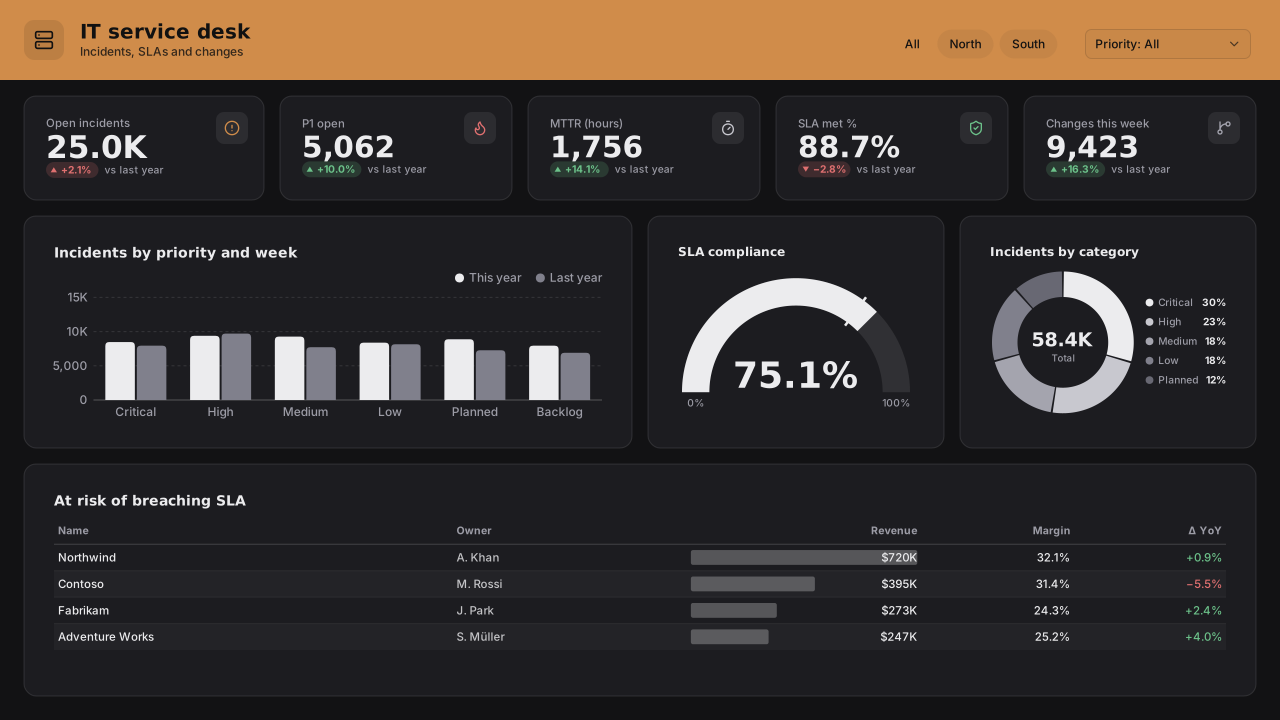
IT Service Desk
Power BI IT service desk dashboard template (ITSM): open incidents, P1s, MTTR and SLA KPIs, incident trend by priority, SLA gauge and breach-risk table.Free for commercial use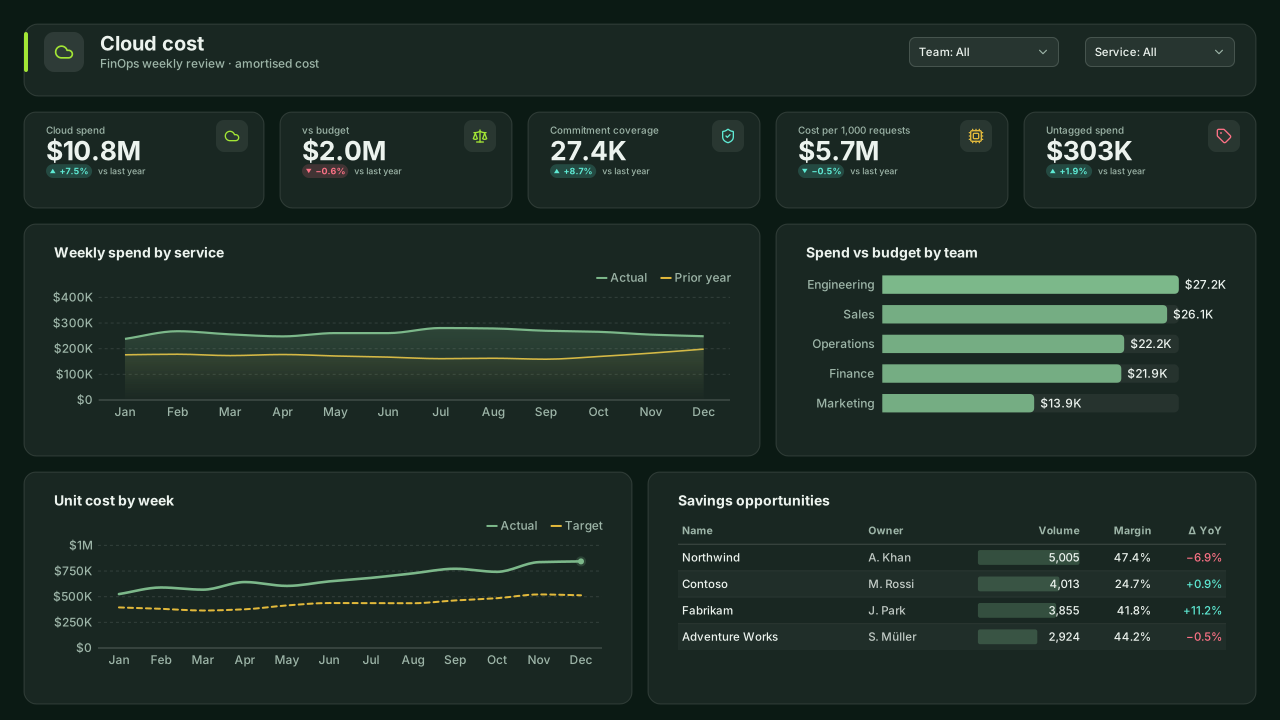 With sample data
Cloud Cost (FinOps)
Dark Power BI cloud cost (FinOps) dashboard template: spend vs budget by team, spend by service, unit cost per 1,000 requests, commitment coverage and savings.Free for commercial use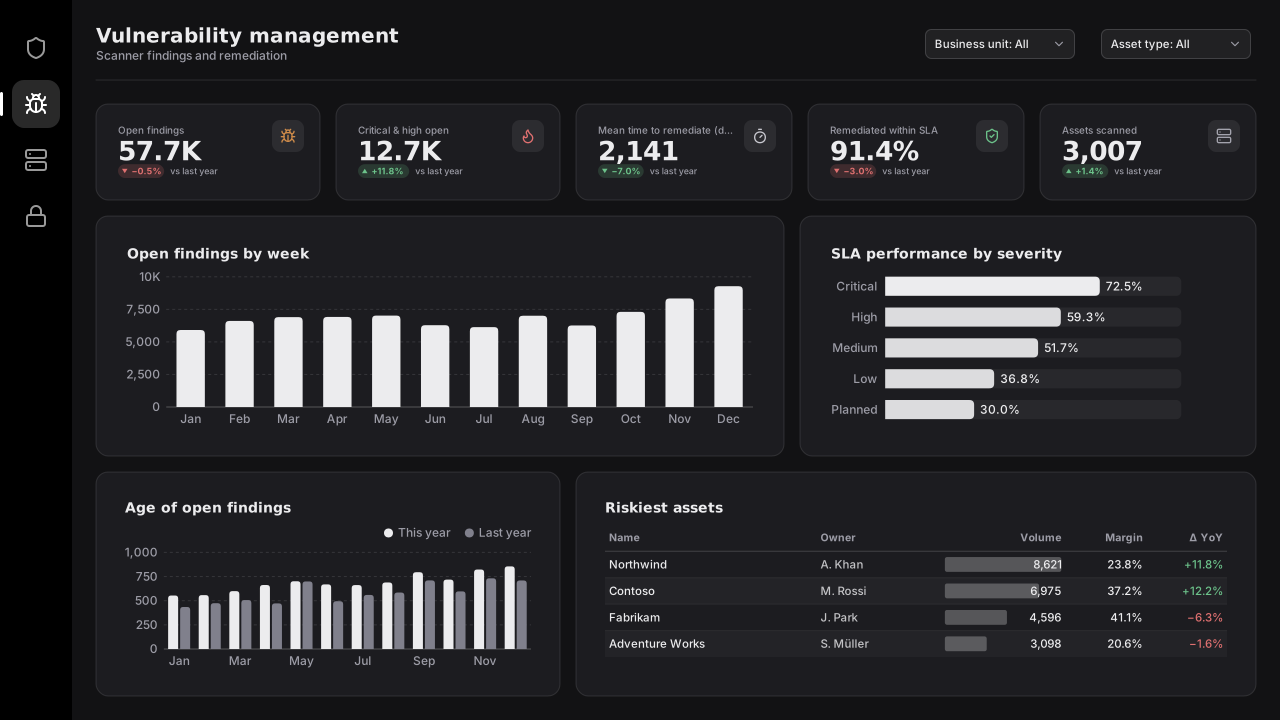 With sample data
Vulnerability Management
Dark Power BI vulnerability management template: open findings by severity, remediation SLA, mean time to remediate, finding age and riskiest assets.Free for commercial use
More it layouts are on the way. Browse all templates or start from a blank page in the Design Studio.
What a it dashboard should answer
- Are we meeting SLA for each priority?
- How large and how old is the backlog?
- When do incidents cluster?
- How many changes fail or need rollback?
Layout advice
Split by priority everywhere: one SLA target for all priorities misleads. Keep ages in days with clear bands (0-7, 8-30, 30+) so backlog trends read at a glance.
Check any layout with the Design Check in the Design Studio (contrast, grid, gutters), and pick a contrast-checked theme to match.
Beyond the template
Custom visuals and dashboard recipes for the same team.
Team hub
Power BI visuals for ITSLA attainment, backlog flow and incident patterns: service-desk and DevOps views for the weekly service review.
Dashboard recipe
Best Power BI Visuals for DevOps MonitoringThe best Power BI visuals for DevOps — incident SPC, deploy frequency cadence, MTTR distributions, SLA…
Templates for other departments
- Executive 1
- Finance 6
- Sales 3
- Marketing 4
- Retail & e-commerce 3
- SaaS 2
- Operations 4
- HR & people 5
- Supply chain 7
- Manufacturing 3
- Healthcare 3
- Project & PMO 2
- Aviation 1
- Banking 3
- Insurance 2
- Real estate & workplace 2
- Hospitality 2
- Education 2
- Nonprofit 1
- Public sector 1
- CV & portfolio 1
Keep exploring
61 hand-designed Power BI page layouts by department.
80 contrast-checked theme JSON files, light and dark.
Page backgrounds at 1280×720 and 1920×1080 with visual positions.
3,034 icons in 40 categories as SVG, PNG, DAX or theme icon JSON.
Make a it page your own
Open a template in the Design Studio to change colours, fonts, logo and layout, then export the background, theme JSON and PBIP project.
The design studio for Power BI. Free, in your browser, no sign-up.