1 free template · Nonprofit
Nonprofit dashboard templates for Power BI
Nonprofit templates
Each template downloads as a background image, a theme JSON and a PBIP project; the ones marked with sample data open in Power BI Desktop with bound visuals.
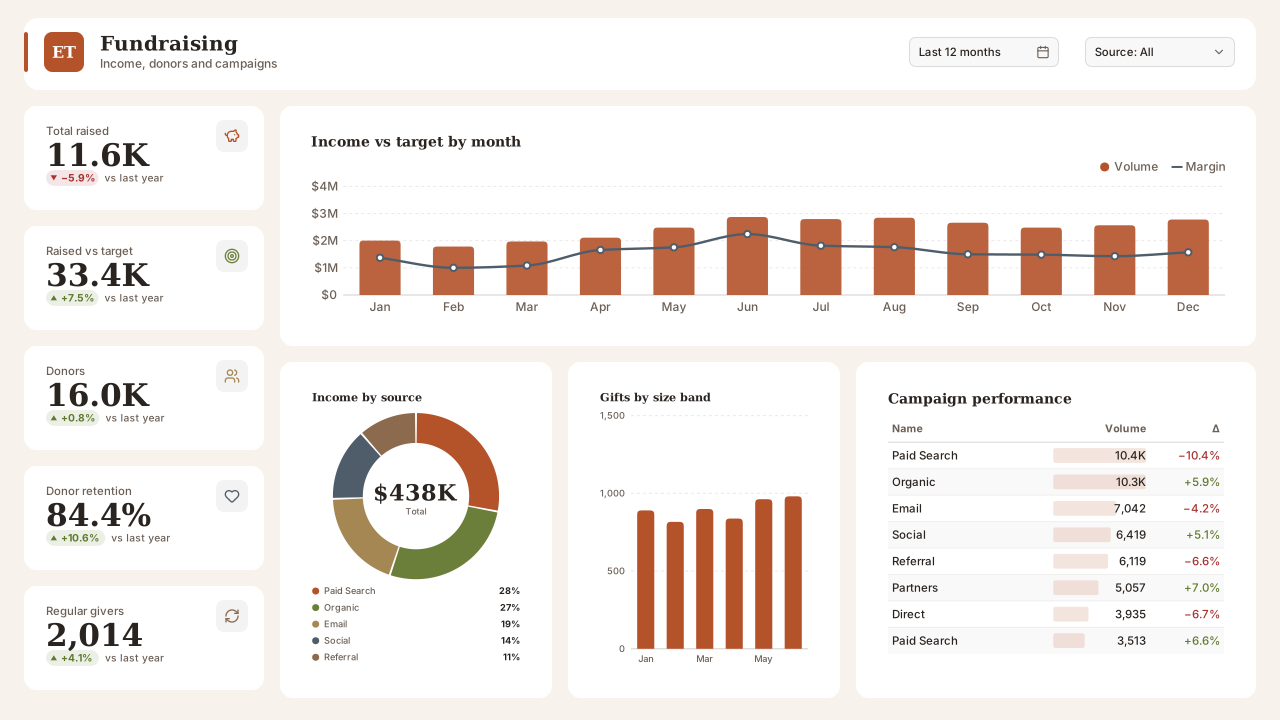
More nonprofit layouts are on the way. Browse all templates or start from a blank page in the Design Studio.
What a nonprofit dashboard should answer
- Is income on track against the annual target, by source?
- What share of last year's donors gave again?
- Which campaigns raised the most per pound spent?
- How much income is restricted to specific programmes?
Layout advice
Keep restricted and unrestricted income visibly apart; trustees read them differently. Show donor retention as a rate with the donor count beside it so a small base isn't mistaken for a trend.
Check any layout with the Design Check in the Design Studio (contrast, grid, gutters), and pick a contrast-checked theme to match.
Beyond the template
Custom visuals and dashboard recipes for the same team.
Templates for other departments
- Executive 1
- Finance 6
- Sales 3
- Marketing 4
- Retail & e-commerce 3
- SaaS 2
- Operations 4
- HR & people 5
- Supply chain 7
- Manufacturing 3
- Healthcare 3
- IT 3
- Project & PMO 2
- Aviation 1
- Banking 3
- Insurance 2
- Real estate & workplace 2
- Hospitality 2
- Education 2
- Public sector 1
- CV & portfolio 1
Keep exploring
61 hand-designed Power BI page layouts by department.
80 contrast-checked theme JSON files, light and dark.
Page backgrounds at 1280×720 and 1920×1080 with visual positions.
3,034 icons in 40 categories as SVG, PNG, DAX or theme icon JSON.
Make a nonprofit page your own
Open a template in the Design Studio to change colours, fonts, logo and layout, then export the background, theme JSON and PBIP project.
The design studio for Power BI. Free, in your browser, no sign-up.