Light Power BI theme
Ledger Navy Power BI theme
Classic finance navy and gold Power BI theme for annual reports and investor dashboards: serif-free, print-safe, with a cream page and ink-dark text.
By Nawaf Sharaf · Founder & Reliability Engineer · Updated
Free for commercial use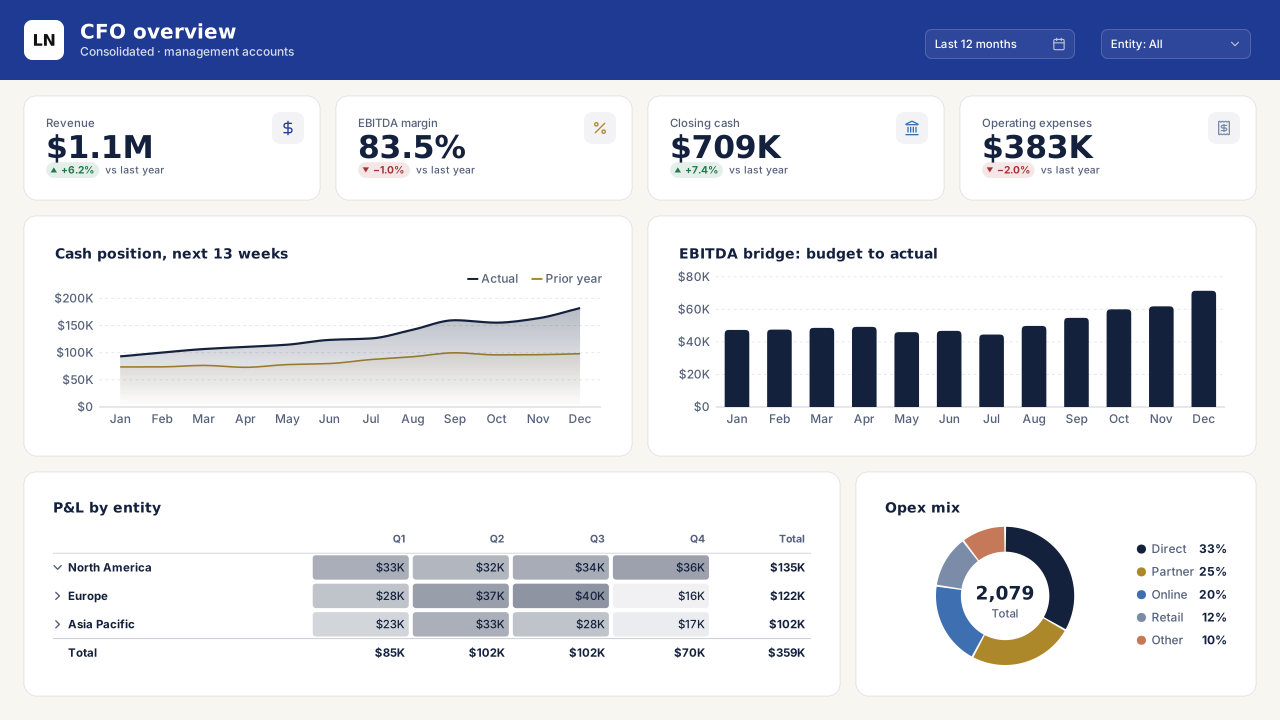
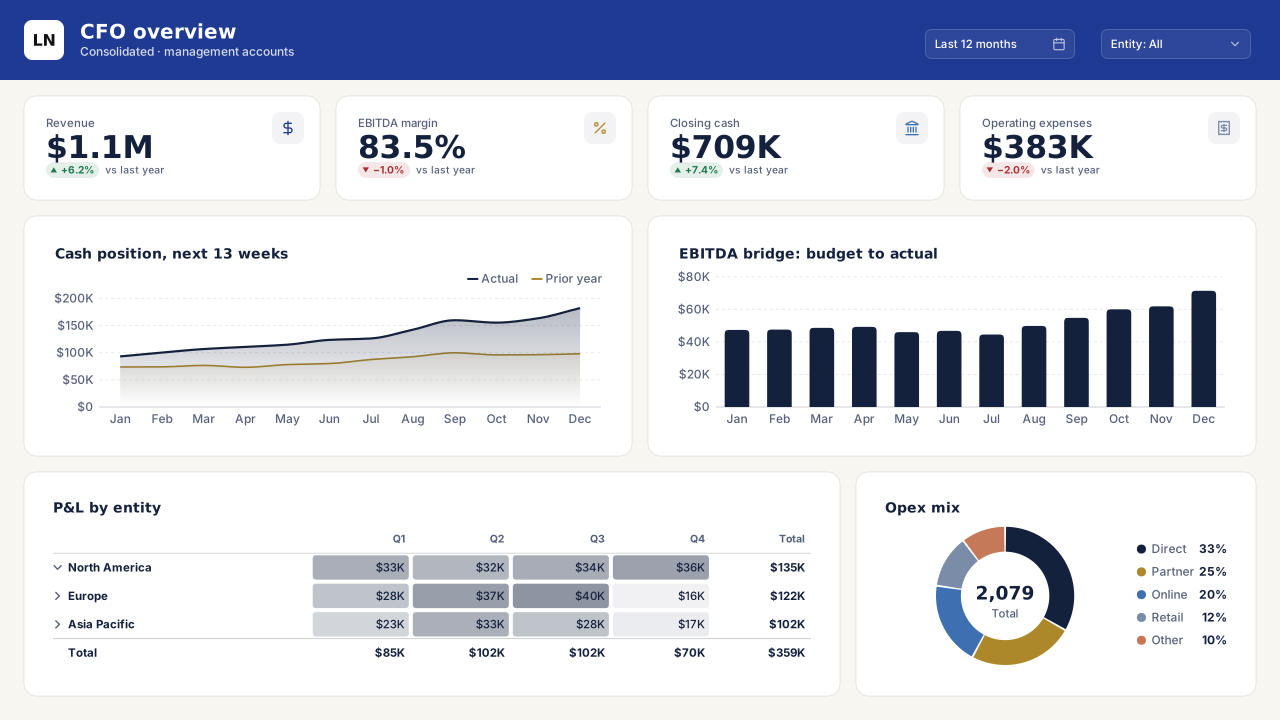
Shown on the CFO Overview template.
Power BI Desktop: Design ribbon → Import theme. Power BI service: View → Theme pane.
About the palette
Ledger Navy is the palette of a printed annual report: deep navy for the lead series, muted gold for the second, and a cream page (#F8F6F1) that keeps white cards from glaring. It photographs well on a projector and survives greyscale printing because the data colours differ in lightness, not just hue.
It suits investor and board reporting, treasury dashboards and anything where 'trustworthy' matters more than 'modern'. Bahnschrift headings keep KPI tiles compact.
The gold (#AD882B) is reserved for the second series and the neutral indicator, so avoid using it for highlights in text; at small sizes it drops below AA on cream.
Palette profile
Computed from the colours on this page, not written by hand: hue spread, lightness range, contrast and a colour-vision simulation of the first six chart colours.
Best for
- Pages with three or four series: the chart colours come from only 4 hue families, so beyond four categories use a table or small multiples.
- Greyscale printing and PDF board packs: the chart colours span 16–57 % lightness, so bars stay apart without colour.
- Thin line charts and sparklines on white cards: every chart colour reaches 3.3:1 or more.
- Variance charts, waterfalls and KPI deltas: good #1F7A4D and bad #A83232 are 150° apart in hue.
Colour-vision simulation
- Protanopia: series 2 and 5 (#AD882B, #C57958); series 5 and 6 (#C57958, #2E8B7A)
- Deuteranopia: series 2 and 5 (#AD882B, #C57958)
- Tritanopia: series 2 and 5 (#AD882B, #C57958); series 3 and 6 (#3E6FB0, #2E8B7A)
- Give those series data labels or direct labels instead of relying on the legend.
- Chart colours
- 8, in 4 hue families
- Lightness range
- 16–57 %
- Text contrast
- 14.7:1
- Muted text
- 5.8:1
- Weakest chart colour
- 3.3:1 on cards
- Near-grey series
- 1
- Closest catalog palettes
- Slate Executive (0.058)Nordic Minimal (0.058)Claims Harbor (0.063)
Colours and contrast
Contrast ratios are measured against the card (surface) colour, where visuals sit. Text needs 4.5:1; graphics need 3:1.
| Role | Colour | Contrast on card | Check |
|---|---|---|---|
| Page background | #F8F6F1 | — | base |
| Card / surface | #FFFFFF | — | base |
| Text | #14213D | 15.97:1 | AA text |
| Muted text | #55607A | 6.29:1 | AA text |
| Accent | #1F3A93 | 10.07:1 | ≥ 3:1 |
| Good | #1F7A4D | 5.32:1 | ≥ 3:1 |
| Neutral | #8A6914 | 5.11:1 | ≥ 3:1 |
| Bad | #A83232 | 6.63:1 | ≥ 3:1 |
| Data colour 1 | #14213D | 15.97:1 | ≥ 3:1 |
| Data colour 2 | #AD882B | 3.32:1 | ≥ 3:1 |
| Data colour 3 | #3E6FB0 | 5.12:1 | ≥ 3:1 |
| Data colour 4 | #7B8CA8 | 3.41:1 | ≥ 3:1 |
| Data colour 5 | #C57958 | 3.36:1 | ≥ 3:1 |
| Data colour 6 | #2E8B7A | 4.13:1 | ≥ 3:1 |
| Data colour 7 | #8E6C9E | 4.39:1 | ≥ 3:1 |
| Data colour 8 | #8B8B8B | 3.41:1 | ≥ 3:1 |
Theme JSON excerpt
The downloaded file also includes text classes, visual styles and slicer, table and card defaults.
{
  "name": "Ledger Navy",
  "dataColors": [
    "#14213D",
    "#AD882B",
    "#3E6FB0",
    "#7B8CA8",
    "#C57958",
    "#2E8B7A",
    "#8E6C9E",
    "#8B8B8B"
  ],
  "background": "#F8F6F1",
  "foreground": "#14213D",
  "tableAccent": "#1F3A93",
  "good": "#1F7A4D",
  "neutral": "#8A6914",
  "bad": "#A83232"
}
Import this theme in Power BI Desktop
- 1
Download the theme
Use the Download theme JSON button above. The file is a few kilobytes and contains no images.
- 2
Import the theme
In Power BI Desktop open the Design ribbon → Import theme and select the file. In the Power BI service use View → Theme pane. Older Desktop builds: View → Themes → Browse for themes.
- 3
Check visual overrides
Visuals with manually set colours keep them. Use Format → Reset to default on those visuals to pick up the theme.
- 4
Add a matching background
Open the design studio with Ledger Navy selected to build a page background in the same colours.
VizForge AI · custom visuals
Generate a custom visual for this slot
Need a chart Power BI doesn't have? Pick a slot from the sample report above and VizForge AI writes a custom visual (.pbiviz, with TypeScript source) sized to it and drawn in the Ledger Navy colours.
Area chart · 576×208 px
1, 2 or 5 credits depending on the brief · 5 free on signup. Sign in or create a free account on the next screen; the brief is saved for 30 minutes.
A Power BI area visual titled "Cash position, next 13 weeks". It sits in a 576×208 px slot on a designed report page. Match the report's brand: data colours #14213D, #AD882B, #3E6FB0, #7B8CA8, #C57958, #2E8B7A; background #FFFFFF; text #14213D; font Segoe UI. Transparent visual background so the page design shows through; no visual border. The report uses the Ledger Navy Power BI theme.
Templates in this theme
Backgrounds to pair with Ledger Navy
Light page backgrounds that sit well under this palette. Each background page has its own theme download, or keep Ledger Navy and set the background image on top.
320×568 background
Mobile Portrait CardsPower BI mobile layout background (portrait): header, two KPI cards and stacked chart panels sized for the phone canvas. Healthcare-calm palette.
816×1056 background
Paper Letter ReportPrintable Power BI background for the Letter page size: warm paper tone, header and footer rules and three content bands for a one-page report.
Need a chart Power BI doesn’t ship?
Theme colours apply to custom visuals too. Describe the chart in plain English and VizForge generates it as a .pbiviz with its TypeScript source; in the design studio, the brief for a visual slot carries this palette. See the visual catalog.
Generate a custom visual with AI · starts free →Questions about this theme
Is the Ledger Navy theme accessible?
Yes. Text and muted text meet WCAG AA (4.5:1) on both the page and card colours, and every data and status colour reaches at least 3:1 against the cards. In a colour-vision simulation 5 pairs among the first six chart colours look alike; the palette profile lists them so you can add data labels. The full contrast table is on this page.
Which fonts does the Ledger Navy theme use?
It uses Bahnschrift for headings and Segoe UI for body text. All of them are in Power BI's own font list, so the report renders the same in Power BI Desktop and in the Power BI service.
How do I import a theme JSON into Power BI?
In Power BI Desktop go to the Design ribbon → Import theme and select the downloaded .json file; in the Power BI service use View → Theme pane (older Desktop builds: View → Themes → Browse for themes). The data colours, text classes and visual defaults apply to every page of the report.
Which theme JSON schema do these themes use?
They are compiled against the current report theme schema (reportThemeSchema-2.159) and include name, dataColors, background, foreground, tableAccent, good/neutral/bad, textClasses and visualStyles.
Similar themes
- Champagne
Light theme
- Obsidian Gold
Dark theme
- Treasury Ink
Light theme
- Slate Executive
Light theme
- Emerald Finance
Light theme
- Civic Slate
Light theme
Keep exploring
80 contrast-checked theme JSON files, light and dark.
Build a theme JSON from your own brand colours.
61 hand-designed Power BI page layouts by department.
Page backgrounds at 1280×720 and 1920×1080 with visual positions.
Design a page in Ledger Navy
Start the design studio with this palette, lay out your page and export a background, the theme JSON and a PBIP project that all match.
The design studio for Power BI. Free, in your browser, no sign-up.